NOW ON GOOGLE PLAY · ANDROID

Control Hog from
phone or tablet.

HOG Link — Hog Control, RFU & Workstations

Connect multiple devices. Bring your show information with you. Give the right controls to the people who need them—all in an app built for Hog workflows.

Free Workstation · Basic & Pro annual plans · Local pricing in Google Play

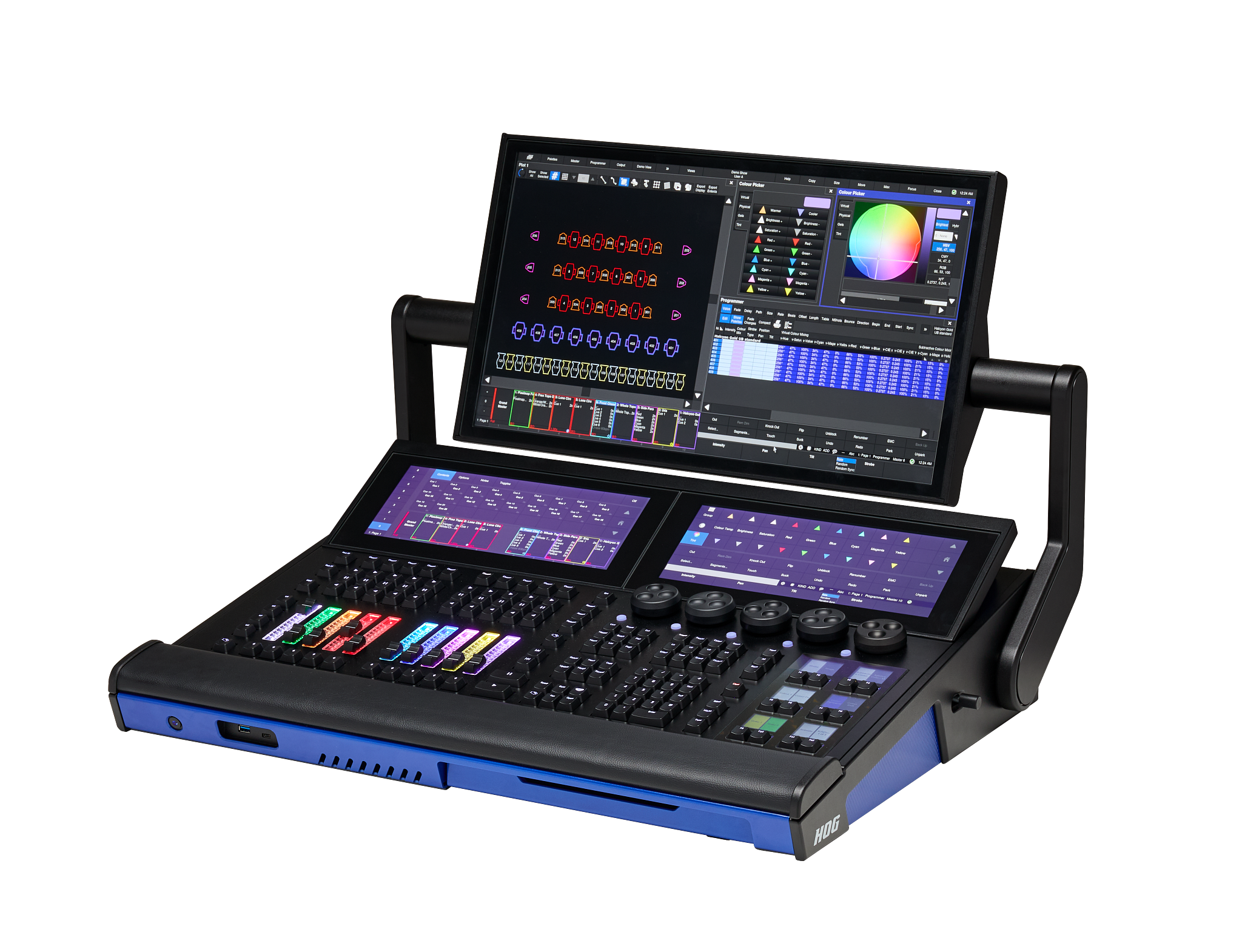
HOG Link running on a tablet and phone beside a Tour Hog console in a live stage setting.

REAL HOG LINK SCREENS

See HOG Link in Action

Explore real, unaltered screens from the current public Android release. Choose a device, then select a view.

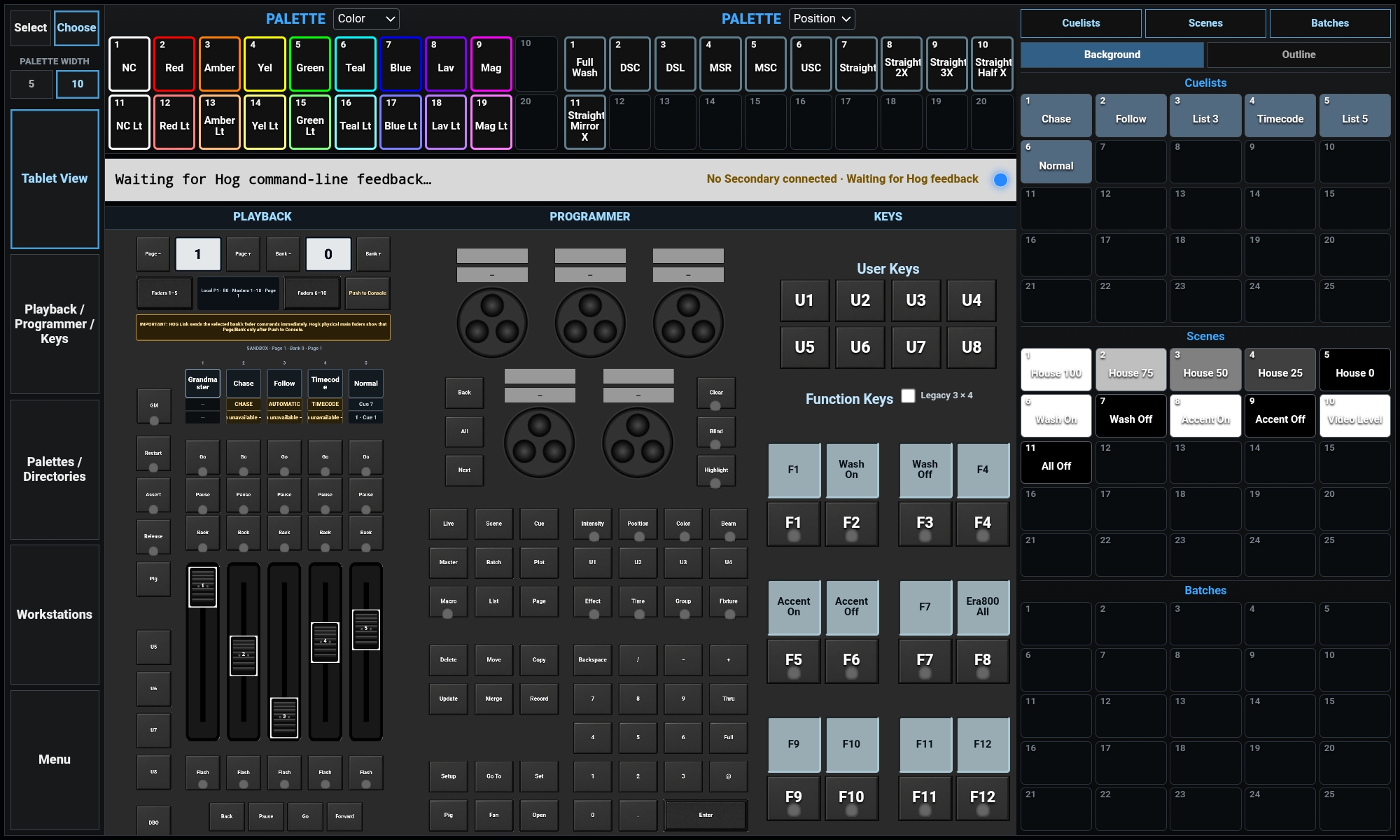
Original HOG Link Tablet View with its left-side navigation
TABLET VIEW

See the whole show workspace at once.

Tap the navigation inside the real app screen to explore each tablet mode.

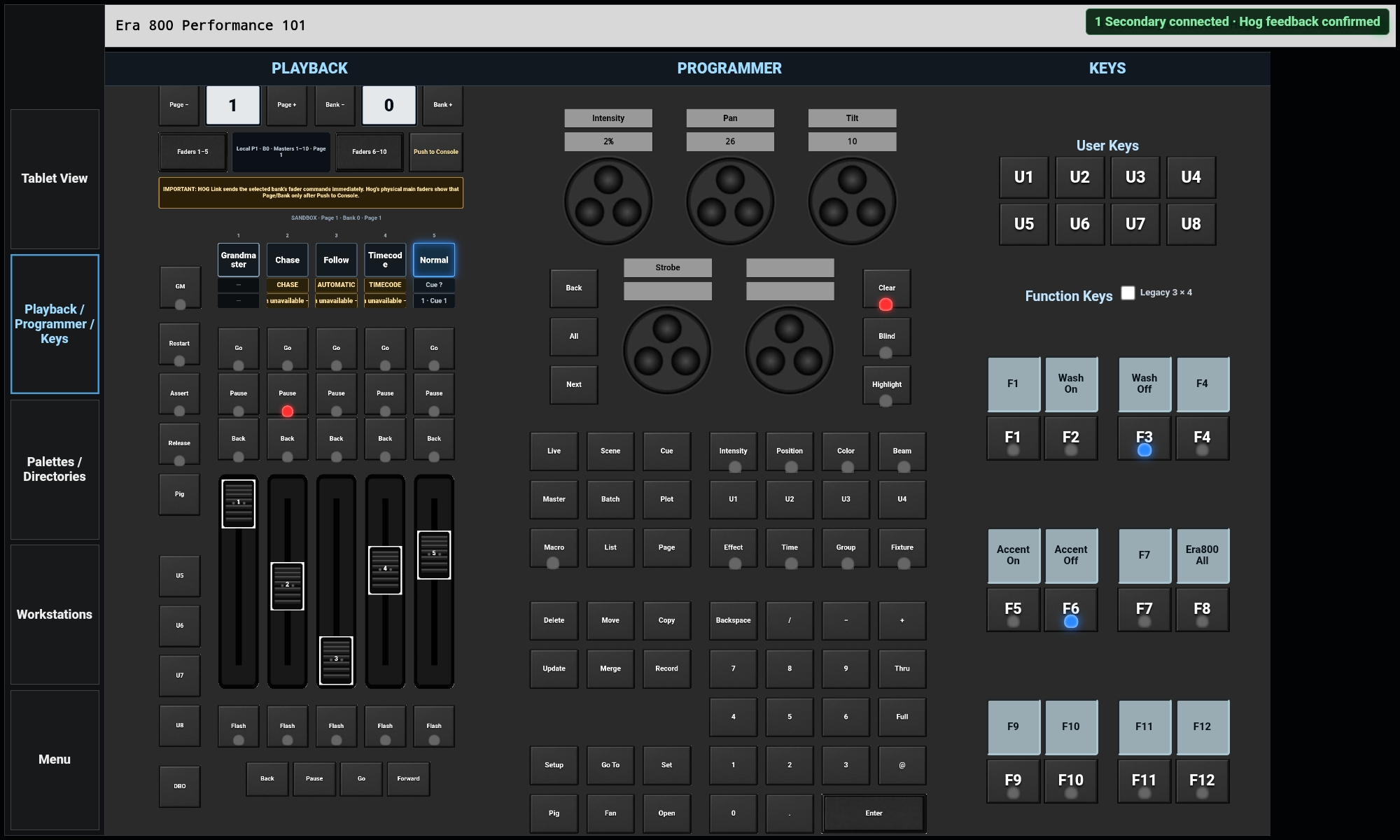
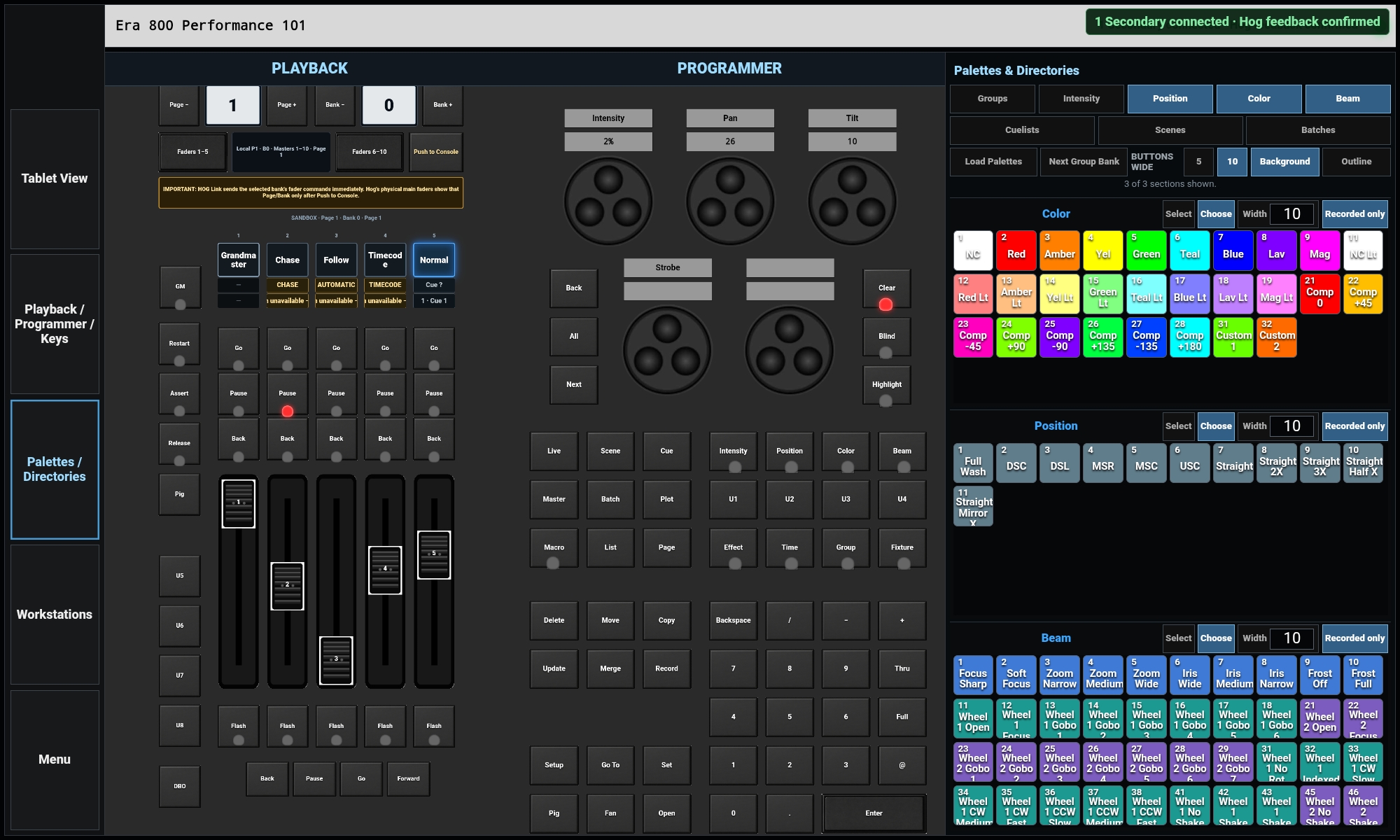
Connected HOG Link tablet Playback, Programmer and Keys screen
PLAYBACK / PROGRAMMER / KEYS

Playback, programmer controls and keys together on a larger working surface.

Connected HOG Link tablet Palettes and Directories screen
PALETTES / DIRECTORIES

Browse palettes and show directories while keeping core controls close.

Connected HOG Link tablet Workstation screen
WORKSTATIONS

Create focused control surfaces for other positions and connected devices.

Use the visible Return to Full Mode control to go back to Tablet View.

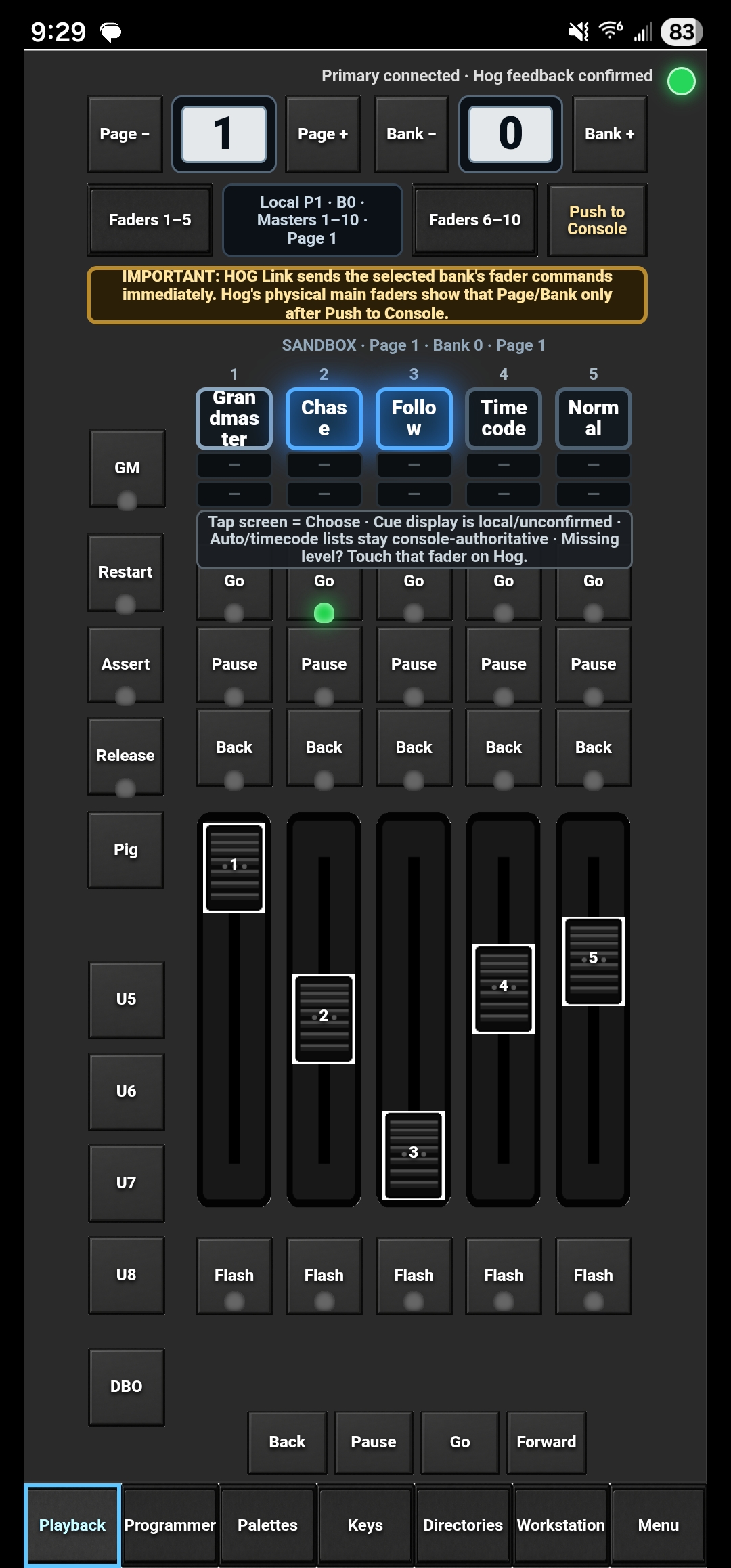
Connected HOG Link phone Playback screen
PHONE · PLAYBACK

Pocket playback control when you step away from the console.

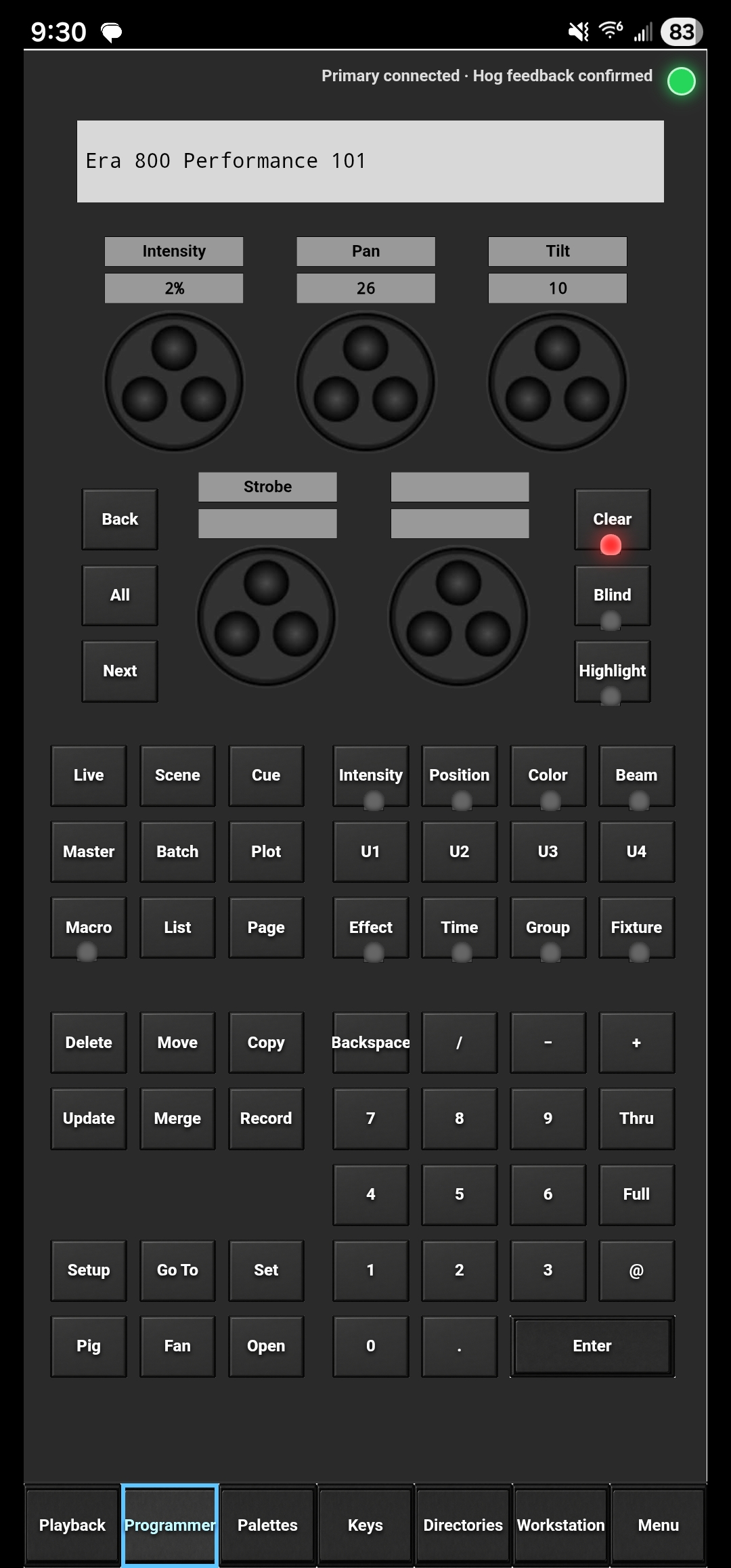
Connected HOG Link phone Programmer screen
PHONE · PROGRAMMER

Encoders, command keys and keypad access from your phone.

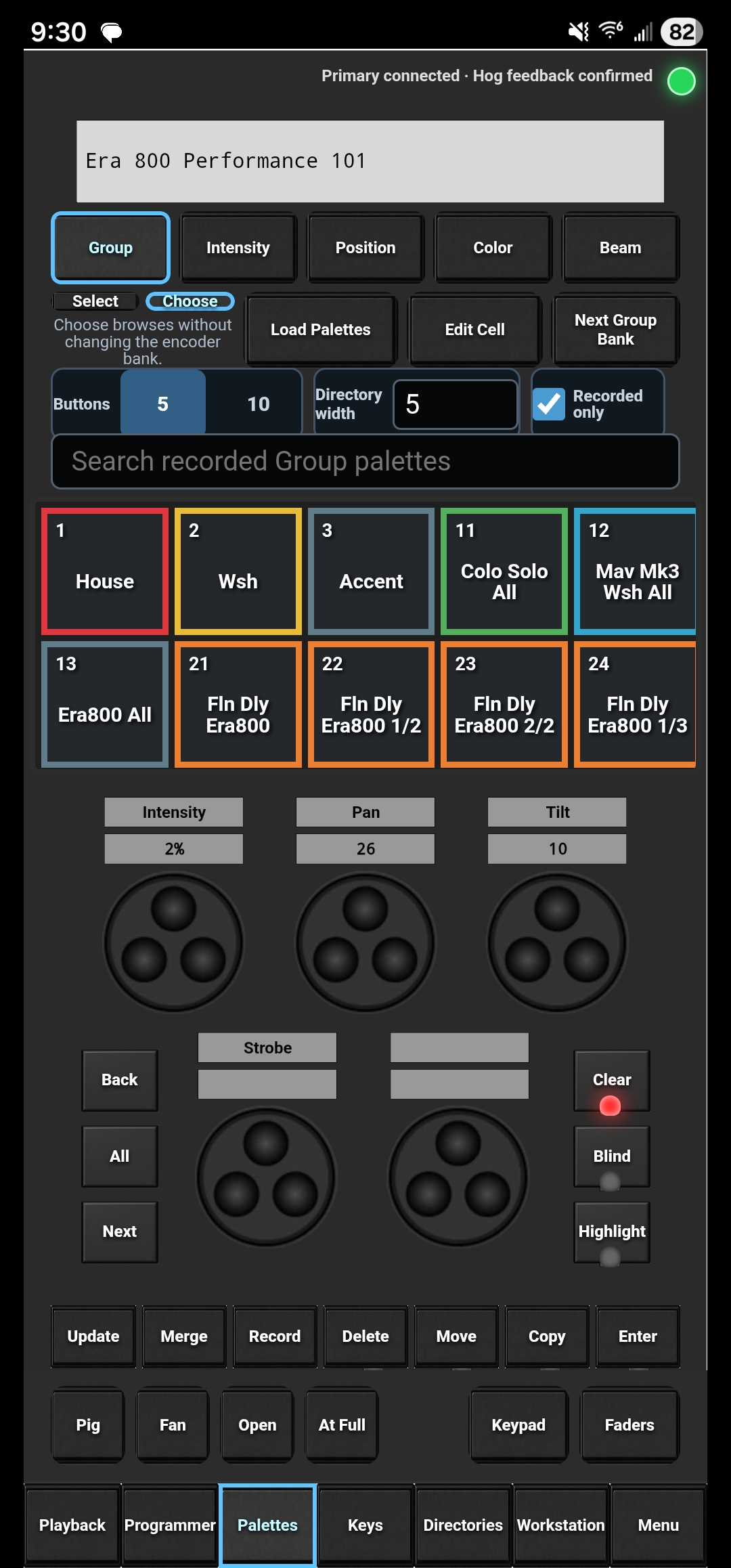
Connected HOG Link phone Palettes screen
PHONE · PALETTES

Groups and palettes with familiar encoder controls.

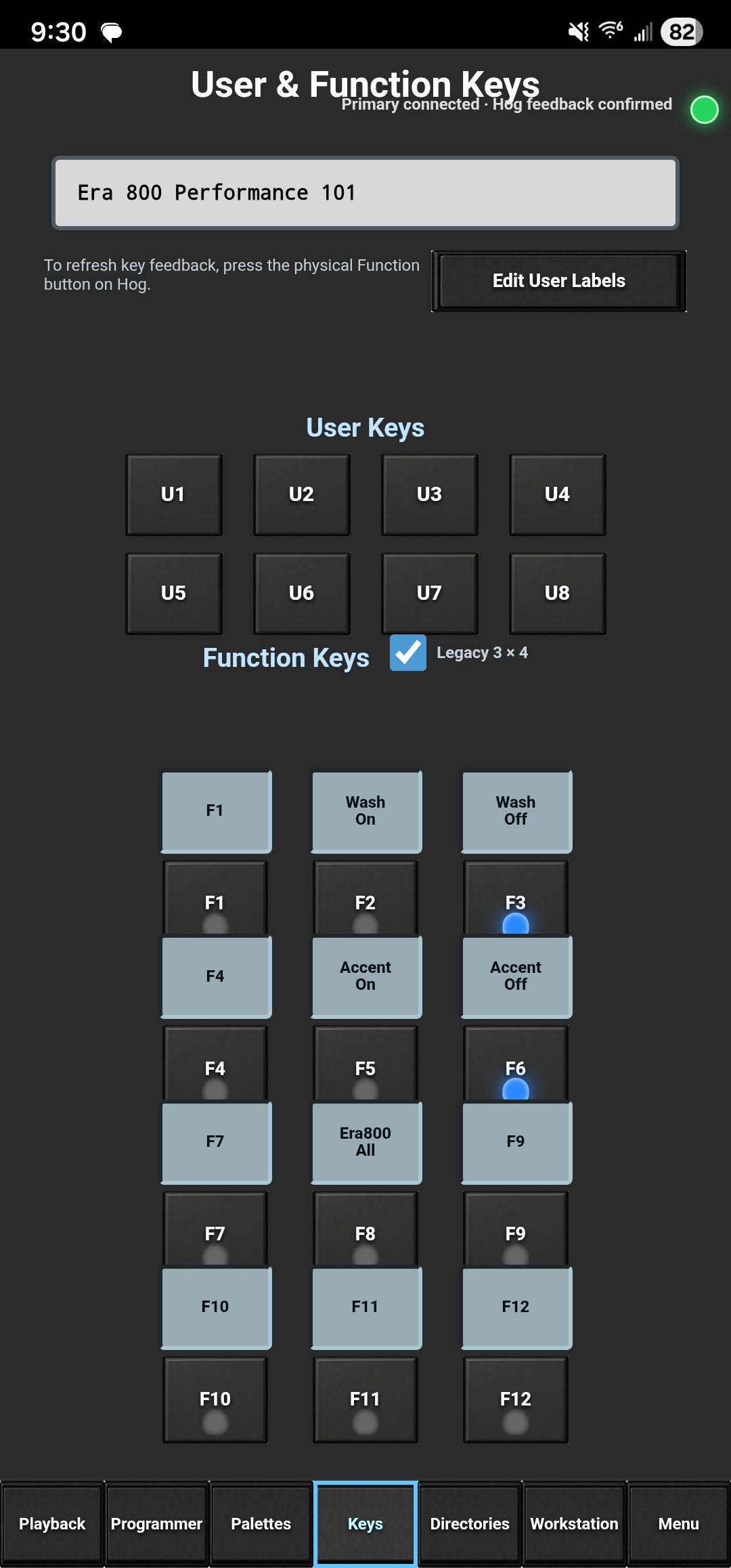
Connected HOG Link phone User and Function Keys screen
PHONE · KEYS

User and Function keys with Hog feedback.

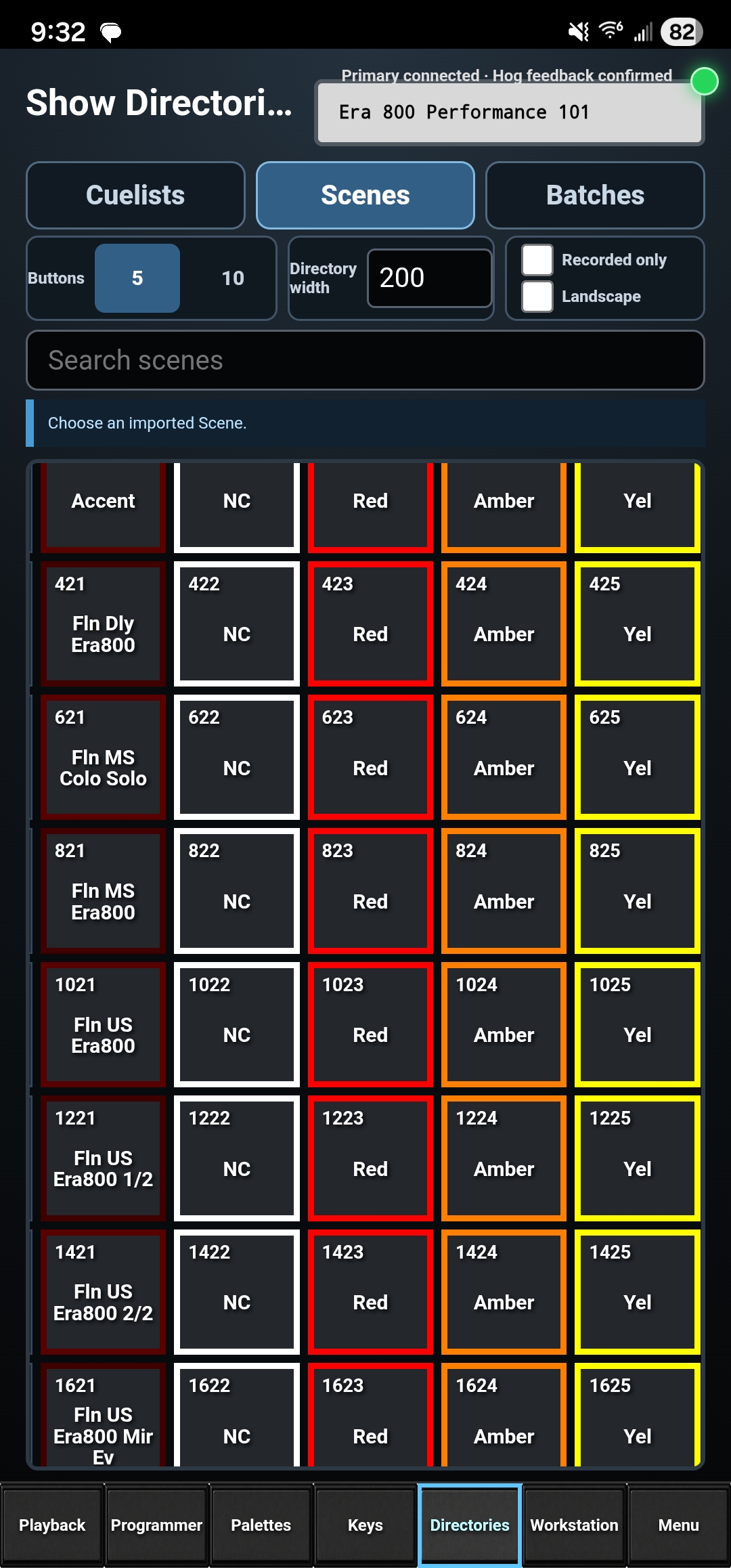
Connected HOG Link phone Show Directories screen
PHONE · DIRECTORIES

Search imported Cuelists, Scenes and Batches.

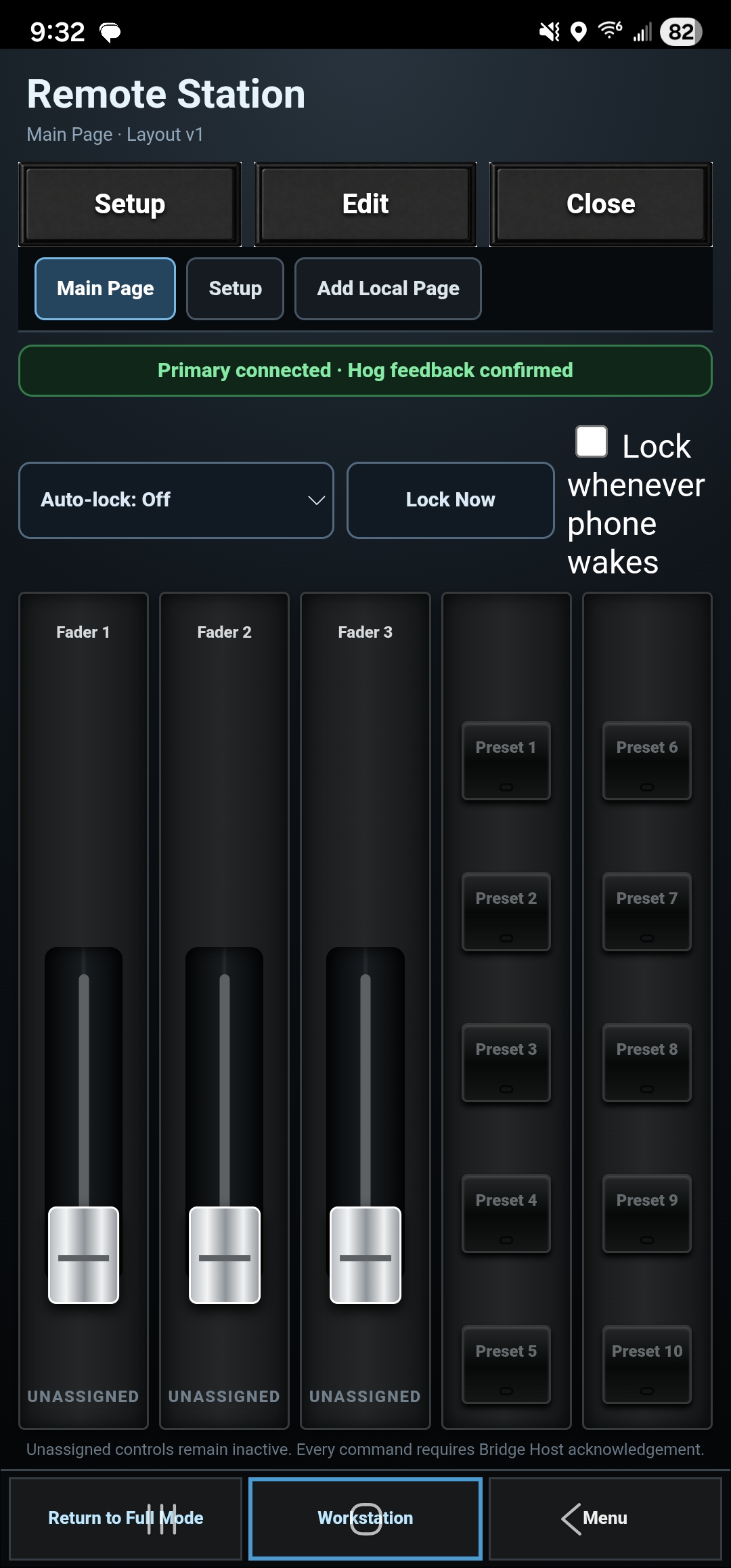
Connected HOG Link phone Workstation screen
PHONE · WORKSTATION

A role-based control surface that fits in your pocket.

Use the visible Return to Full Mode control to return to phone Playback.

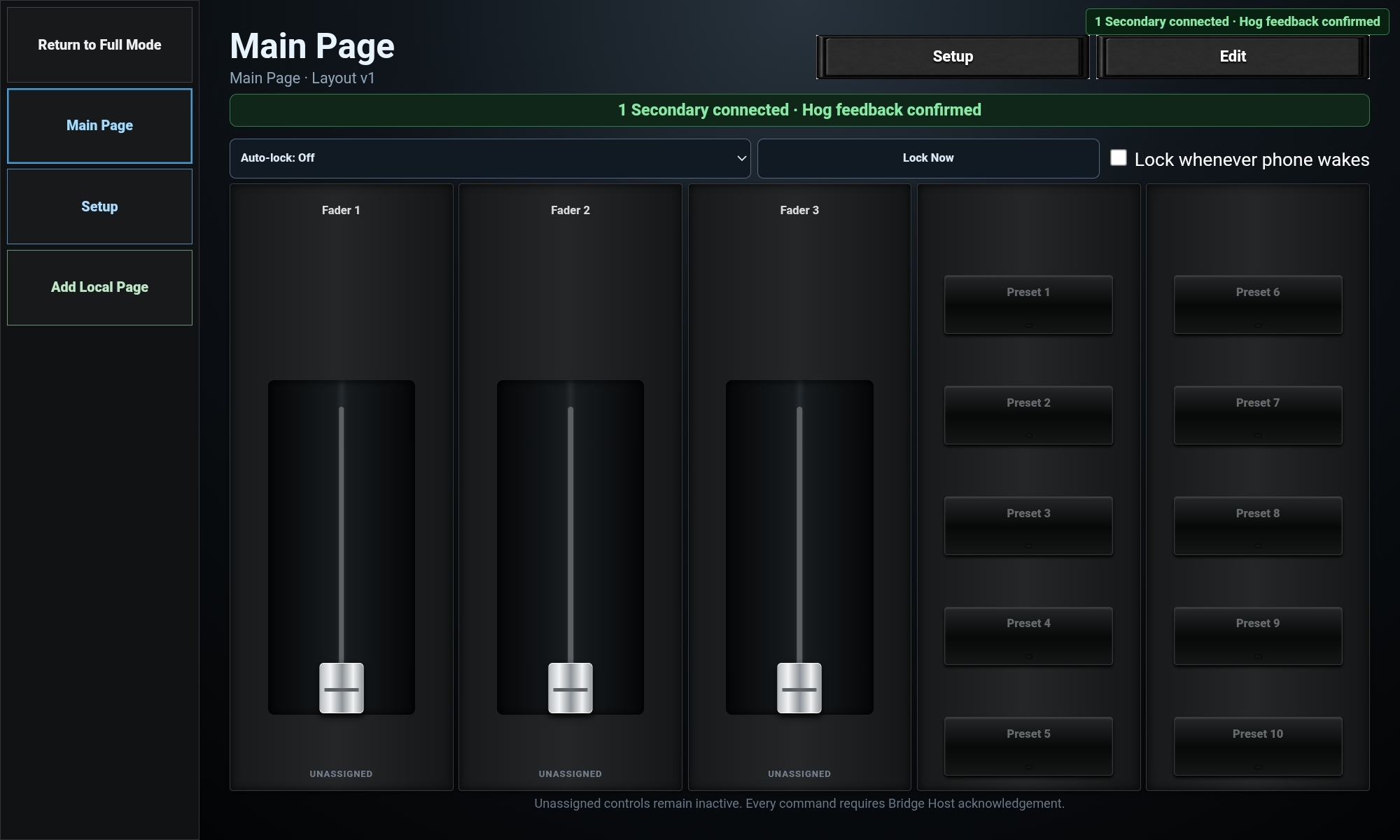
Connected HOG Link tablet Workstation with assigned faders and presets
WORKSTATION · TABLET

A station for the job

Create focused control surfaces for people who need specific controls without handing them the full programming interface.

  • Assign only the controls that role needs
  • Shared connection and Hog feedback
  • Useful for production, backstage and fixed stations

BUILT FOR HOG 5

HOG Link works with Hog PC and Hog consoles including Tour Hog, Stage Hog, Flex Hog, and Gig Hog. Use it as a Hog remote, Hog RFU, or workstation surface through Hog’s OSC connection.

Hog design logo

MULTI-DEVICE WORKFLOW

One Primary.
More places to work.

Connect additional HOG Link devices for focused Workstations, pocket control, or another working position while maintaining Hog feedback through the Primary.

  • Tablet + phone together
  • Multiple connected devices
  • Role-based Workstations
  • Shared show information
  • Connected-device status you can see

ONE APP. DIFFERENT JOBS.

Made for the way
you work a show.

From a focused house-light station to a broader programmer toolkit. Choose the role and plan that fit the job.

01 / CONTROL

Hog controls, close at hand.

Playback faders, Go / Back / Pause, flash and DBO. Basic adds the playback and palette RFU workflow; Pro adds programmer, keys, encoders and Full Access remote.

02 / SHOW INFORMATION

XML show data import.

With Pro, import Hog XML for searchable Cuelists, Scenes and Batches, fixture and patch reference, and saved Show Profiles. Importing show data does not modify the Hog show.

03 / WORKSTATIONS

Free role-based Workstations.

Give a Production Manager, Stage Manager, Wall Station, house-light operator or backstage user assigned buttons and faders. A Primary Android device hosts securely paired Workstations and shares controls and show information.

04 / FEEDBACK

Know what is confirmed.

Separate Hog feedback from the Primary connection. Stale-state warnings, reconnect handling and held-control release help keep the console’s authority clear.

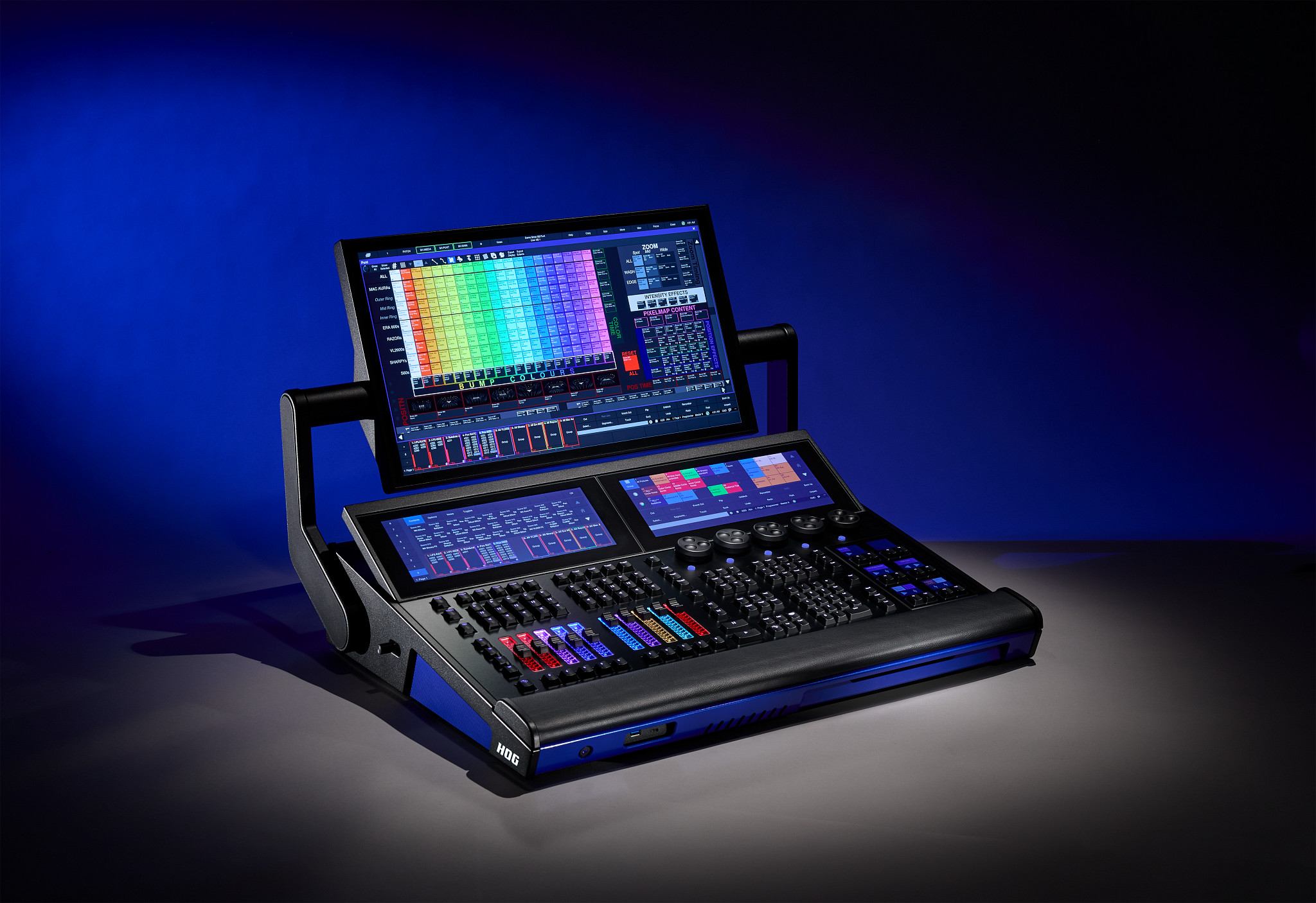
Tour Hog console

BUILT FOR THE HOG ECOSYSTEM

Designed around real Hog workflows.

Programming, playback, RFU control, and workstation use—built around the way Hog operators work.

Hog PC • Tour Hog • Stage Hog • Flex Hog • Gig Hog

EARLY WORD FROM HOG USERS

Already finding a place
in real workflows.

HOG Link is new, and feedback from working users is helping shape what comes next.

“My favorite tool of 2026.”
Jordan · HOG Link user
“I’m diggin’ the app!”
Gary Byrd · HOG Link user
“I love it so far.”
Victoria Weichhart · HOG Link user

CHOOSE YOUR WORKFLOW

A useful station.
A focused RFU. A full toolkit.

U.S. base prices shown below. Plans are broadly available internationally where Google Play supports purchases. Local pricing is shown in Google Play.

DEDICATED STATION USER

Free Workstation

Free

Producer, house lights, backstage, volunteer or an assigned-control station.

  • Use assigned Workstation controls
  • Receive shared show/XML information
  • Limited direct-Hog Workstation mode
Get the app

EVERYDAY HOG CONTROL

HOG Link Basic

$19.99 USD / year

Playback and palette control for a focused Hog-specific remote workflow.

  • Basic RFU and playback controls
  • Console-learned Groups and Palettes
  • Host up to 2 Workstations
Explore Basic in the app

THE BROADER SHOW TOOLKIT

HOG Link Pro

$79.99 USD / year

Programmer tools and show context for working across productions and venues.

  • Full RFU, programmer and Full Access
  • XML import, directories and Show Profiles
  • Full tablet dashboard; host up to 5 Workstations
Explore Pro in the app

GET HOG LINK FOR ANDROID

Take HOG Link to your next Hog show.

Open the verified public listing on Google Play, or scan the code from your phone or tablet.

Get HOG Link on Google Play
QR code for the HOG Link Google Play listing
Scan to get HOG Link on Google Play

Eligible new Pro subscribers can choose a 30-day free trial where available. It converts automatically to the local Pro annual subscription unless canceled in Google Play. Review the price and renewal terms before confirming.

What each plan includes
CapabilityFreeBasicPro
Assigned Workstation use & shared XML consumptionIncludedIncludedIncluded
Limited direct-Hog Workstation modeIncludedIncludedIncluded
Basic RFU / playback & console-learned palettes—IncludedIncluded
Hosted Workstations per PrimaryNoneUp to 2Up to 5
Full RFU / programmer / keys / Full Access remote——Included
Import your own Hog XML & use show directories——Included
Independent cue/show information & multiple Show Profiles——Included
Advanced patch / fixture reference & full tablet dashboard——Included
Universal safety & reliability handlingIncludedIncludedIncluded

Paired Workstations need a Primary host. Limited direct mode does not provide the host’s shared assignments, locks or synchronized feedback. Trial Pro has the Pro capability set while active.

FROM INSTALLED TO CONNECTED

Start with the network.
Then make the connection.

Our web guide walks through Hog OSC settings, your Primary, XML import and Workstation pairing. No PDF required.

Open Getting Started
  1. 01

    Same HogNet network

    Connect the console and Android device to the same local network.

  2. 02

    Hog → Primary → Workstation

    Point Hog feedback at your Primary, then pair the other stations.

  3. 03

    Verify in a safe show

    Check both sending and feedback before relying on remote controls.

A FEW QUICK ANSWERS

Before the next show.

Which devices can run HOG Link?

HOG Link is available for compatible Android phones and tablets running Android 8.0 or later. Google Play shows compatibility for your device. There is no iOS release advertised here.

How do paired Workstations connect?

A HOG Link Primary Android phone or tablet hosts the secure connection for paired Workstations and shares their assigned controls and show information. Keep the Primary powered and connected to the show network.

HOG Link hears Hog, but Hog does not respond. What should I check?

Verify the saved Hog IP and that HOG Link’s Send Port matches Hog’s OSC input port. Check for an unintended role or target. The normal arrangement is Send 7001 / Receive 7002. Follow the two-way connection checks before changing settings.

Why does it say Primary connected but Hog feedback is stale?

Those are different connections. Your Workstation may reach the Primary while the Primary is not receiving recent Hog feedback. Check the console’s OSC output IP, network and receive port. Do not treat the Primary connection alone as confirmed Hog delivery.

How do I sign in or restore a purchase?

Open Account & Plans, enter your email and request a passwordless sign-in link. Open it on the same Android device. To restore, use the original HOG Link account and the Google Play account that owns the subscription, then tap Restore Google Play purchases. If email is missing, confirm the entered address, check spam and request a fresh link. Contact support if it still fails.

Are prices the same in every country?

The U.S. annual base prices are $19.99 for Basic and $79.99 for Pro. Google Play displays local pricing, applicable tax handling, trial eligibility and renewal terms. Availability follows Google Play’s regional payment restrictions.

Does HOG Link always know the live cue number?

No. Where dependable live position is unavailable, Automatic, Timecode, Clock and Chase display their mode with a check-console warning. Normal deterministic Cuelists use the supported current/next presentation. Imported XML is show context, not proof of live console position.

What happens if Internet access drops during a show?

Previously verified access uses the existing seven-day offline lease. A live control session does not abruptly downgrade because of a transient entitlement-service outage. This does not replace the local network connection to Hog; reconnect to refresh account verification.
BUILT WITH REAL-WORLD FEEDBACK

Something not working?
Tell Stephen.

Connection help, billing questions, a bug or a better way to work—send an email. Include your device model, app version, what happened and a screenshot if useful. Please don’t send passwords or sensitive show files.

Email hoglinksupport@gmail.com

Account and privacy requests: hoglinksupport@gmail.com